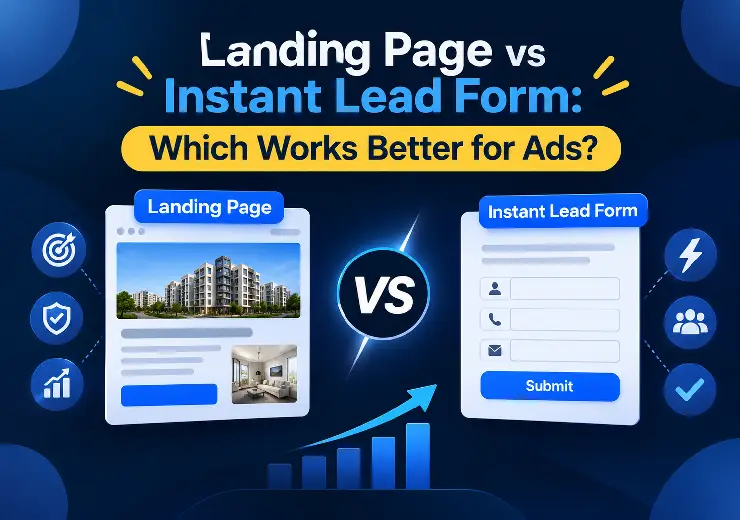
Instant Forms usually give you more leads at a lower cost. They are fast and easy for the user.


I hope you enjoy reading this article. If you need support with SEO , Google Ads , Facebook Ads, or Landing Pages, click on the link.
You have set up your Facebook and Instagram ad. The budget is ready. The creative looks good. Then Meta asks one simple question: where should people go after they click?
You can send them to an Instant Form (also called a Lead Form) that opens inside Facebook or Instagram. Or you can send them to a landing page on your own website.
This one choice can change how many leads you get, how much each lead costs, and how many of those leads actually buy from you. In this blog, we will explain both options in simple words, compare them side by side, and help you choose what is right for your business.
This guide is for real estate developers, brokers, and business owners across India who want better results from ads.
There is no single winner. Here is the short version:

Instant Forms usually give you more leads at a lower cost. They are fast and easy for the user.
Landing pages usually give you fewer but better leads. People read more before they submit, so they are more serious.
If you want volume, start with Instant Forms. If you want quality and a high-value sale, like a flat, a plot, or a big service package, a landing page often works better. Many smart advertisers use both. We will show you how later in this blog.
An Instant Form is a form that opens inside Facebook or Instagram when someone clicks your ad. The person never leaves the app. Meta even fills in their name, phone number, and email automatically from their profile.
The user taps your ad, checks the pre-filled details, and taps submit. That is it. It can take less than 10 seconds.
You can add your own questions too, such as budget, city, or the type of home they want. You can also add a short intro, a thank-you screen, and a link to your privacy policy. Meta explains the setup steps in its Meta Business Help Centre.
Why advertisers like Instant Forms
Very easy to set up. No website or developer needed.
Works well on mobile, where most Indians use Facebook and Instagram.
Less effort for the user, so more people finish the form.
Leads come straight into Meta, and you can connect them to your CRM or send them by email.
A landing page is a single web page built for one goal, such as getting an enquiry or a site visit booking. It sits on your website or on a separate link. When someone clicks your ad, they leave Facebook or Instagram and open this page.
A good landing page tells the full story. It shows your offer, photos, price range, location, reviews, and a form or a call button. It does not have menus or links that pull people away. The page has one job: make the visitor take one action.
If you want to know how to build one that actually brings results, read our guide on how to create a landing page that converts.
Why advertisers like landing pages
You control the full message, design, and flow.
You can show a lot more detail to build trust.
You can track visitors with tools like Meta Pixel and Google Analytics.
You can use the same page for Google Ads, SEO, and WhatsApp campaigns.
You own the traffic data and can retarget visitors later.
| Factor | Instant Form | Landing Page |
|---|---|---|
| Speed of setup | Very fast (minutes) | Slower (needs design and development) |
| Cost per lead | Usually lower | Usually higher |
| Number of leads | Usually more | Usually fewer |
| Lead quality | Mixed, can be low | Usually better and more serious |
| User effort | Very low | Medium |
| Mobile experience | Smooth, inside the app | Depends on page speed |
| Brand story and trust | Limited | Strong |
| Tracking and data | Basic, inside Meta | Detailed, with Pixel and Analytics |
| Retargeting options | Limited | Wide |
| Best for | Quick enquiries, low-priced offers, events | High-value products, long decisions |
| Needs a website | No | Yes |
This table gives you the big picture. Now let us go deeper into each point.
Pros
Lower cost per lead. Because the form is easy to fill, more people submit it. That brings down the cost of each lead.
No page loading problems. The form opens inside the app, so there is no waiting. In India, where internet speed changes from place to place, this matters a lot.
Fast to launch. You can run a test campaign the same day.
Auto-filled details. Fewer typing errors means fewer wrong numbers.
Great for simple offers. Free consultation, free demo, discount coupons, and webinars work well.
Cons
Lead quality can be low. Since it is so easy to submit, some people tap without much thought. They may not pick up your call later.
Fake or wrong details. Auto-fill can pull an old number or email. Some people also submit by mistake.
Less trust building. You cannot show a full project story, floor plans, or a long list of reviews.
Limited data. You will not see how long a person stayed or what they looked at.
Slow follow-up kills results. If you call a lead after two days, they have often forgotten you.
We have seen this in real campaigns too. Leads from forms can look great on the dashboard, but if the calling team is slow or the form is too easy, the numbers drop fast after the first call. We have also seen campaigns where leads came from a different state than the one targeted. Good form setup and strong filters matter a lot.
Pros
Better lead quality. A person who reads your page and then fills a form is usually more interested.
Full message control. You can answer common questions before the person even calls.
Builds trust. Real photos, RERA details, client reviews, and project videos make people feel safe.
Better tracking. You can see where people drop off and fix those parts.
Works for many channels. One strong page can serve social media ads, Google Ads, SEO, and email.
Retargeting. You can show ads again to people who visited but did not submit.
Cons
Higher cost per lead. More steps mean fewer people finish.
Needs a good page. A slow or messy page wastes your ad money. You can test your page speed for free with Google PageSpeed Insights.
Takes time and money to build. You need design, content, and development.
Mobile problems hurt. If the page takes more than a few seconds to open, many people leave.
Many business owners look only at cost per lead (CPL). That is a mistake.
A lead that costs ₹150 but never answers the phone is more expensive than a lead that costs ₹400 but books a site visit. The number that truly matters is the cost per sale or at least the cost per site visit or qualified call.
Here is a simple way to think about it:
If your sales team is big and can call many leads quickly, a higher number of cheaper leads can work.
If your sales team is small or each sale is worth lakhs of rupees, fewer and better leads are a smarter choice.
So do not judge your campaign only by what you see in Ads Manager. Check how many leads were actually reached, how many were interested, and how many turned into customers.
Choose an Instant Form when:
You are running a new campaign and want to test the audience quickly.
Your offer is simple and low-priced, like a free quote, a demo, or an event signup.
You do not have a website or landing page yet.
You need many leads fast and your team can call within minutes.
Your audience is mostly on mobile with slow internet.
You are running a local campaign for a nearby area.
For real estate, Instant Forms can work well for early-stage awareness, project pre-launches, and brochure requests, as long as you add a few filter questions.
Choose a landing page when:
You sell high-value things, like flats, villas, plots, commercial space, or big business services.
People need more details before they decide.
You want to build trust with a new brand or a new project.
You want to retarget visitors later.
You run ads on more than one platform and want one central page.
You care more about lead quality than lead numbers.
Real estate is a high-trust, high-value business. People do not buy a home after one tap. They compare projects, check location, ask family, and visit the site.
Because of this, we usually suggest a mixed approach for real estate clients:
Use Instant Forms with 2 or 3 smart questions (budget, preferred size, and time to buy) to collect leads fast.
Use a landing page to show full project details, price range, floor plans, amenities, location map, and RERA information for people who want to know more.
In our work with multiple real estate projects, including township and pre-launch campaigns, we have found that the offer, the location, and the follow-up speed matter as much as the form type. A great landing page cannot fix a slow calling team, and a great form cannot fix a weak offer.
If you run a service business, such as a clinic, coaching class, funding advisory, interior design firm, or software company, the answer depends on your sales cycle.
Short cycle (days): Instant Forms are often enough. Example: salon, gym, tuition.
Medium cycle (weeks): Try a landing page with a clear offer and proof. Example: website development, business loans, digital marketing.
Long cycle (months): Use a landing page plus retargeting and follow-up on WhatsApp or email.
At ANA Digital Media, we run lead generation for different types of businesses, from real estate to business funding advisory. Each one needs a different setup. That is why we test before we scale.
You do not always have to pick one. Here are three smart ways to combine them.
Create two ad sets with the same audience and budget. Send one to an Instant Form and the other to your landing page. After 7 to 14 days, compare cost per lead, call pick-up rate, and cost per qualified lead. The data will tell you what works for your business.
Meta lets you choose between more volume and higher intent in the form settings. The higher-intent option adds a review screen, so the user must check details before submitting. This cuts accidental leads.
Show your landing page to cold audiences. Then show an Instant Form ad to people who visited but did not submit. These people already know you, so they are more likely to finish the form.
If you choose Instant Forms, these tips can help you get better leads.
Add one or two filter questions. Ask for budget range or when they plan to buy. It cuts low-interest leads.
Keep the form short. Name, phone number, and two questions are enough.
Use a clear headline. Tell people exactly what they get, like "Get the price list and brochure on WhatsApp."
Set the right location. Check your location settings carefully. Targeting a state does not always mean all leads will come from that state, so review your leads often.
Call fast. Try to call within 5 to 10 minutes. Speed wins leads.
Connect to a CRM. A CRM sends leads to your team in real time and helps track follow-ups. Your lead is only as good as your follow-up.
Use a thank-you screen. Add a call button or WhatsApp link so interested people can reach you right away.
If you choose a landing page, keep these points in mind.
Make it fast. Aim for the page to load in a few seconds on mobile. Compress images and remove heavy scripts.
Match the ad. If your ad talks about a 2 BHK in a certain area, the page should start with the same message.
Use one clear call to action. One goal, one button. Do not add many links.
Put the form high on the page. Do not make people scroll for a long time to find it.
Add trust signals. Show reviews, project photos, certificates, and your phone number.
Make it mobile friendly. Most of your visitors will open it on a phone.
Install Meta Pixel. It tracks form submissions and helps Meta find similar people.
Keep the form short. Every extra field lowers the number of leads.
Judging only by cost per lead. Always check lead quality too.
Using a slow landing page. People leave if a page takes too long to open.
Asking too many questions. Long forms scare people away.
Slow follow-up. A lead that waits a day is almost a cold lead.
Not testing. Never guess. Test both options with the same budget.
Ignoring privacy. Always add a privacy policy link and be clear about how you will use their data.
Changing too many things at once. Change one thing at a time so you know what made the difference.
Pick one offer and one audience.
Make two ad sets with the same budget and same creative.
Send one to an Instant Form and the other to a landing page.
Run both for at least 7 to 14 days. Do not stop too early.
Track cost per lead, call pick-up rate, number of interested leads, and number of site visits or sales.
Keep the winner, and improve the other or pause it.
Repeat the test with new creatives and offers.
This simple process gives you real data, so you stop guessing.
At ANA Digital Media, we help real estate developers, brokers, and business owners across India get better leads from Facebook, Instagram and Google Ads. Our team has worked on multiple projects, from township and pre-launch real estate campaigns to funding advisory and service businesses.
Here is what we can do for you:
Facebook, Instagram and Google Ads lead generation with proper targeting and tracking
Landing page and website development that loads fast and builds trust
Graphic design for ad creatives, carousels, and posters
Campaign testing to find the right mix of Instant Forms and landing pages
Lead reports that show quality, not just numbers
We do not believe in one-size-fits-all. We test, study the data, and change the plan as needed. You can learn more about our work on the ANA Digital Media website.
Ready to get better leads from your ads? Contact ANA Digital Media today and let us build a lead generation plan that fits your business.
So, which works better for ads: a landing page or an Instant Form?
The honest answer is: it depends on what you sell, who you sell to, and how fast your team follows up.
Choose Instant Forms when you want more leads, faster launch, and lower cost per lead.
Choose landing pages when you want better quality, more trust, and stronger tracking.
Use both when you want the best of everything. Test, learn, and keep what works.
The form or page is only one part of a good campaign. Your offer, your creative, your targeting, and your follow-up speed matter just as much. Get all of these right, and your ads can bring leads that actually turn into customers.
If you want expert help, the team at ANA Digital Media is ready. Contact us here and let us help you grow.


Let our experts turn your goals into real results.
ⓒ Copyright 2026 . All Rights Reserved By ANA Digital Media