Treat the AI video as a first draft, not a final ad.


I hope you enjoy reading this article. If you need support with SEO , Google Ads , Facebook Ads, or Landing Pages, click on the link.
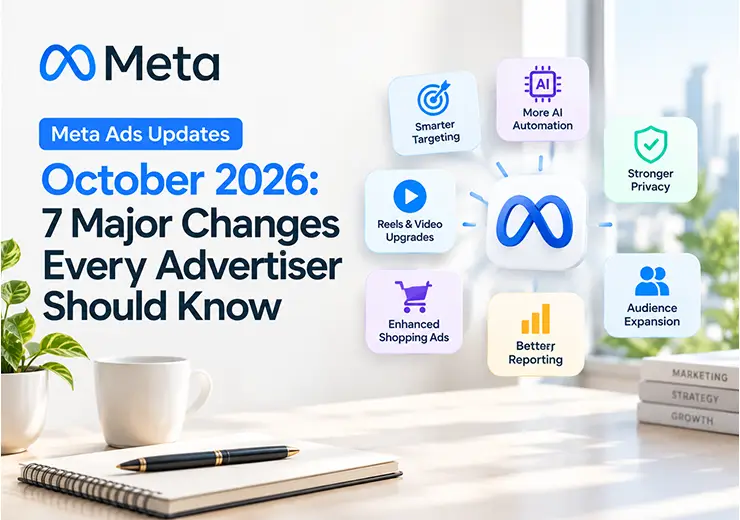
Meta Ads updates October 2026 are coming fast. Some are small. Some can change how your ads run in the next few days. If you run Facebook ads or Instagram ads for your business, it is hard to know which news matters and which is just noise.
That is why we wrote this guide. At ANA Digital Media, we run Meta campaigns for real estate projects, service brands and growing businesses. Every month we see Meta change something in Ads Manager. Our rule is simple: understand the change, test it, then decide. Do not panic and do not switch things on just because they are new.
Here is the most important thing to know right now. Two changes arrive within days: product browsing on 28 October and new Meta business terms on 30 October. Read those two sections first if you are short on time.
A quick note on facts. We have used Meta's own announcements wherever we could. Where a point comes from news reports or from numbers that Meta shares about its own tools, we say so. Features also reach accounts in stages, so what you see in Ads Manager may be different from what we describe.
| Date | Update | Status | Best for |
|---|---|---|---|
| 6 Oct | AI video from static images | Generally available in Advantage+ creative | Anyone with photo-only ads |
| 6 Oct | Customer Lifecycle Strategy | Open to all advertisers | Lead and sales campaigns |
| 13 Oct | New GEM AI model | Live behind the scenes | Every advertiser |
| 15 Oct | Ads Super Burst and First Impression Ads | Super Burst rolling out in phases, First Impression only a US test | Big brand launches |
| 27 Oct | Marketing API changes | Scheduled (as reported) | CRMs, reporting tools, agencies |
| 28 Oct | Product browsing turned on by default | Existing ads, opt out available | Catalog and product advertisers |
| 30 Oct | Updated Commercial and Self-Serve Ad Terms | Takes effect | Every business account |
Meta said on 6 October that advertisers can now turn existing image ads into video inside Advantage+ creative. Meta also says that more than 60% of the time people spend on Facebook and Instagram is spent watching video. So this update is easy to understand: people like video, and many businesses only have photos.
Why it matters for real estate and business owners
A builder often has project renders, site photos, floor plans and sample flat pictures, but not enough video. Now you can test a short video made from those images without hiring a shoot team first.
What we suggest

Treat the AI video as a first draft, not a final ad.
Check every frame. Price, offer, location and project name must be correct.
Make sure nothing looks fake. A render that shows a view the buyer will never get is a trust problem, and it can also be a legal problem.
Run the video next to your best image ad with the same budget and the same audience. Compare cost per lead and, more importantly, the quality of the leads.
Controls can be different from one account to another, so check inside your own Ads Manager before you plan around it.
Meta has opened Customer Lifecycle Strategy to all advertisers. The idea is simple. When you run an acquisition campaign, you want new customers. You do not want to spend money showing the same ad to people who already bought from you.
Now you can tell Meta that a campaign is for acquisition. Meta then gives suggestions to exclude your existing customers, so you do not have to build those exclusions from nothing. Meta is also testing an easier way to exclude a whole group of existing customers with one audience tag.
Why it matters
Think about a real estate developer with a past project. Many buyers from that project are already in your list. If your new launch ad keeps showing to them, you pay for views that bring no new buyer. For a business owner with repeat customers, the same thing is true.
This also helps with reporting. When new and old customers are separated, you can see what your ads really bring. That is a much clearer picture than one big mixed number.
What we suggest
Keep your customer and buyer list clean and up to date.
Only use data you have the right to use, and follow privacy rules.
Use a separate campaign to reach existing customers for referrals or upgrades, and judge it separately.
On 13 October, Meta's engineering team shared the next version of GEM, its Generative Ads Model. In simple words, GEM is a very large AI model that helps Meta decide which ad to show to which person. Meta says the 2026 version moves from separate systems for Facebook, Instagram and Reels to one central model that learns from signals across its apps. You can read the details in Meta's engineering post on GEM.
Meta also reports an 18.9% rise in conversions and a 12% rise in click-through rate from GEM. Please remember that these are Meta's own numbers. They are across all advertisers, and they do not promise the same result for your account.
There is no GEM button in Ads Manager. You cannot turn it on or off. So what should you do?
What this means for you
Clean data matters more. The smarter the system, the more it depends on the signals you give it. Make sure your pixel, Conversions API and lead forms are working properly.
Give it good creative. Use different formats, hooks and messages. One ad shown to everyone is not enough.
Optimise for quality, not just volume. If you only ask for cheap leads, you will get cheap leads. For real estate, tell the system what a good lead looks like by tracking site visits and qualified enquiries, where your setup allows it.
On 15 October, Meta announced new formats for brand advertising.
Ads Super Burst lets a brand book a window of 3 to 24 hours and reach a very large audience in that short time. Category exclusivity is available, so a rival in the same category cannot book the same window. Campaigns are planned in Reach Planner, and Meta says it is rolling this out in phases this month.
First Impression Ads put one brand in the first ad slot in the Facebook Feed. This is only an early test in the US, with one brand per day. Meta has not shared results yet.
Should Indian advertisers care?
Honestly, not much yet. Meta has not listed which countries will get Super Burst first, and First Impression is not available outside the US test. These formats are built for big brand moments, like a major launch or a big event.
Most real estate developers and business owners in India will still get better value from lead generation campaigns, retargeting and strong creative. But it is good to know where Meta is heading. If a big launch is coming for your company, ask us to check whether Super Burst is open for your account.
This one is more technical, so we will keep it short. As reported by industry sources, Meta has scheduled some Marketing API changes for 27 October. These include changes around poll ad creation, the Messenger Stories placement and a few delivery estimate fields.
Who is affected?
Mostly people who use third-party tools, reporting dashboards or API-based campaign management. If you only use Ads Manager by hand, you probably will not notice anything.
But if your real estate CRM pulls leads from Meta, or your agency uses a reporting tool, ask them two questions:
1. Are we using any of the changed fields or placements?
2. Have you tested lead sync after 27 October?
We suggest checking Meta's developer changelog for the exact details, because API changes are easy to miss and can quietly break reports or lead flow. A broken lead sync can cost you real enquiries.
This is the one to act on first. It arrives in two days.
Meta has told advertisers that from 28 October 2026, it will add product browsing to existing Facebook and Instagram ads. Product browsing is not new. It was an option you could turn on yourself. What changes is the default: it moves from off to on for your running ads, unless you opt out.
When it is on, a person who taps your ad may see a page inside Facebook or Instagram with product information and suggestions, instead of going straight to your website. Meta says that, on average, businesses saw 3% more conversions with product browsing. That is Meta's claim, so test it before you believe it.
What is still unclear
Meta's notice does not say if new ads created after 28 October will also be on by default. It also does not clearly say which ad types, goals or catalog setups are covered. So please do not assume it works the same for every business.
What we suggest
Open your Ads Manager and look for the notice, or check the Advantage+ Creative and Destination settings on your ads.
If you run product or catalog ads, test it on a small budget first.
If your goal is lead form fills, calls or site visit bookings, think carefully. An extra step before your landing page can help or hurt. Real estate ads often need people to see the project page, the price range and the RERA details. Check that this still happens.
You can switch it off in your ad settings at any time, so this is reversible. But do not wait to find out what happened to your budget.
Meta has said that updated versions of its Commercial Terms and Self-Serve Ad Terms take effect on 30 October 2026. Meta is also merging some older terms into these two documents. The Product Catalog Terms go into the Commercial Terms, and the Ad Creative Generative AI Terms go into the Self-Serve Ad Terms.
The part that got attention is a clause about Meta using automated tools to crawl websites linked to business accounts. After many people complained, Meta changed the wording and said the crawling is limited to advertising and business products. Reports say the debate is still open, because some people think the new wording still allows broad crawling. You can read Meta's own updates on the Meta Business Help Center.
What we suggest
Read the terms or ask your team or lawyer to read them. Do not just click accept.
If you run a company with sensitive data on your website, ask your legal advisor what this means for you.
Remember that there is no separate opt-out for business accounts. If you use Meta's business tools, the terms apply.
Keep your website and robots.txt settings in good order. Meta has said that website owners can still signal their preferences this way.
This is not a reason to stop advertising. It is a reason to be informed.
Meta shared a few more things at Advertising Week New York on 6 October. You can read the full post on Meta's newsroom (this version is in Spanish).
Ads Creative Studio is rolling out to more advertisers. It shows which creatives work and why.
Meta AI business assistant in Ads Manager now has deeper memory and is testing features like planning campaigns and changing budgets by chat. Meta says advertisers who follow its suggestions see about 5% more conversions at the same cost per conversion. Again, this is Meta's number.
AI audience discovery is coming to Detailed Targeting later this year. You describe your ideal customer in plain words, and Ads Manager suggests audiences.
The pattern is clear. Meta wants more AI and more automation. Your job is to give it a clear goal, good data and honest creative.
Knowing the news is half the work. Here is how to actually use each update in your account. Menu names and options can be different in each account, so follow the idea and check your own screen.
How to use AI video from static images
1. Open Meta Ads Manager and create or edit an ad that uses Advantage+ creative.
2. Upload your best-performing image, such as a project render or an offer creative.
3. Find the video option in the creative settings and turn it on for this one ad only.
4. Preview the video on your phone. Fix any wrong price, offer, location or text.
5. Run it next to your original image ad for 5 to 7 days with the same budget. Keep the winner.
Want to see which of your creatives work best? Try Ads Creative Studio if it is open for your account.
1. Create a new Leads or Sales campaign.
2. When Ads Manager asks, mark it as an acquisition campaign (new customers).
3. Accept the suggestion to exclude existing customers, or upload your buyer list as an exclusion audience.
4. Run a separate campaign for old customers if you want referrals or repeat sales.
1. Look for the product browsing notice in Ads Manager. It has an opt-out button.
2. Or open each ad and check the Advantage+ Creative and Destination settings. You can switch it on or off there at any time.
3. If you keep it, turn it on for a few ads first and compare lead quality with the ads where it is off.
For more detail, read this report on the product browsing change and this industry view on what it means.
1. Read the updates on the Meta Business Help Center and share them with your owner or lawyer.
2. Read this report on the new terms to understand the debate.
3. Ask your CRM or reporting tool provider to check the Marketing API changelog and test lead sync.
Ads Super Burst: plan it in Reach Planner. Read the Indian trade report and ask your agency whether it is open for your account.
Meta AI business assistant: use it for ideas and checks. Read every suggested change to budget or targeting before you approve it. Learn more on the Meta AI business assistant page.
Need someone to do this setup for you? ANA Digital Media can set it up, test it and report the results in simple words.
Real estate is different from selling a phone or a T-shirt. A buyer thinks for weeks or months. One good lead is worth a lot, and one bad lead wastes your sales team's time. So here is how we look at these updates:
1. Lead quality beats lead count. AI will happily find you cheap leads. Ask your sales team which leads actually visited the site. Then use that feedback to guide your campaigns.
2. Check where your leads come from. With more automation, ads can reach people outside the area you wanted. In real estate lead campaigns, we often see leads from far-away cities that will never buy. Look at your location and delivery reports every week.
3. Use video, but keep it honest. AI video is useful for project walkthroughs, amenity highlights and offer reminders. Never show what the project does not have. Also, show your RERA registration number as required. You can check rules on your state's RERA website, such as MahaRERA.
4. Separate new buyers from old ones. Use Customer Lifecycle Strategy and clean audiences so your launch budget goes to new people.
5. Test one thing at a time. If you change the creative, the audience and the placement together, you will never know what worked.
The same ideas hold true for other business owners, such as clinics, schools, coaching centres, finance and advisory brands, and local service providers. Clear goal, clean data, honest creative, one change at a time.
Minutes 0 to 10: Protect your account
Check for the product browsing notice and decide to keep it or opt out before 28 October.
Ask your team or lawyer to read the new terms before 30 October.
Ask your agency or CRM provider if API changes affect you.
Minutes 10 to 20: Check your tracking
Open your ad link and landing page on your phone.
Submit a test lead and confirm it reaches your CRM or WhatsApp.
Check your pixel, Conversions API and UTM tags in Events Manager.
Minutes 20 to 30: Review performance
Compare cost per lead, click-through rate and lead quality.
Look at the delivery report by city, state, age and placement.
Pick one new feature to test, such as AI video, on a small budget.
Our rule: if a campaign is working, do not change it just because there is an update. Find a real problem, make one change, then measure.
Meta changes its tools often. Most business owners do not have time to read every notice, and most should not have to. That is where we come in.
At ANA Digital Media, we have worked on many projects, including luxury real estate, residential launches, lead generation campaigns, social media content and monthly performance reporting. We know what a good lead looks like, how to read the numbers, and when a new feature is worth the risk.
Our digital marketing services include:
Meta Ads (Facebook and Instagram) for lead generation
Social media marketing, reels, carousels and static posts
Campaign setup, tracking and lead quality checks
Monthly reports that are easy to understand
Content and SEO support to grow your brand over time
We work with real estate developers, brokers and business owners across India. We keep our language simple and our reports honest, so you always know where your money is going.
Meta Ads updates October 2026 all point in one direction: more AI, more automation and fewer manual controls. That can save time and help you test more ideas. But automation does not know your business the way you do.
Start with a clear goal. Keep your tracking clean. Check your creative with your own eyes. Judge leads by quality, not only by price. Make one change at a time, and let the data decide.
And please act on the two dates that are close: 28 October for product browsing and 30 October for the new terms.
Not sure if your Meta ads are working the way they should? Whether you are a real estate developer, a broker or a business owner anywhere in India, the team at ANA Digital Media can review your setup, fix your tracking and plan campaigns that bring better leads.
Contact ANA Digital Media today and let us talk about your next campaign.


Let our experts turn your goals into real results.
ⓒ Copyright 2026 . All Rights Reserved By ANA Digital Media