Who is this lead and where did they come from?


I hope you enjoy reading this article. If you need support with SEO , Google Ads , Facebook Ads, or Landing Pages, click on the link.
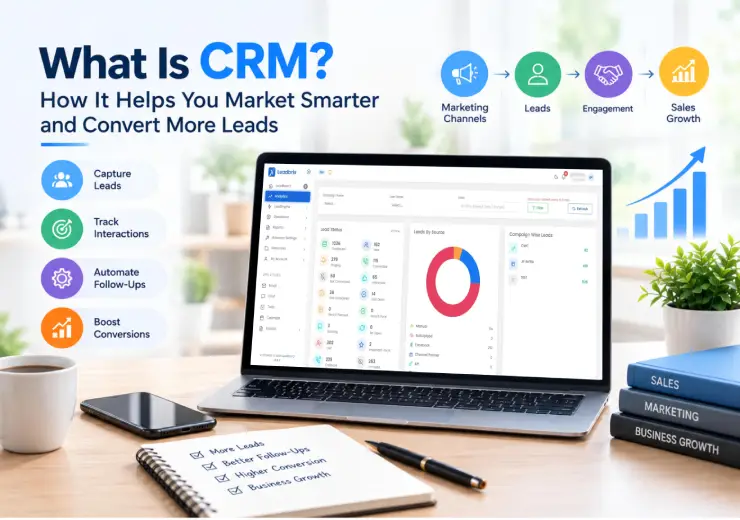
Most business owners do not lose customers because their product is bad. They lose them because a call was missed, a follow-up was late, or a lead note was lost in a WhatsApp chat. A CRM fixes exactly this problem. Let us understand it in simple words.
CRM stands for Customer Relationship Management. In simple words, a CRM is a software tool that stores all your leads and customers in one place. It also shows you every call, message, meeting, and follow-up linked to each person.
Think of it as a smart digital diary for your business. Instead of notes in Excel sheets, paper registers, and phone contacts, everything stays in one clean system that your whole team can use.
A good CRM software helps you answer simple but important questions:

Who is this lead and where did they come from?
When did we last speak to them?
What did they ask for?
Who in my team is handling them?
When should we call them next?
When you can answer these questions in seconds, you sell better and you serve better.
There are three common types of CRM systems:
Operational CRM: Handles daily work like lead capture, follow-ups, and task reminders.
Analytical CRM: Shows reports and numbers, like how many leads came in and how many turned into customers.
Collaborative CRM: Helps different team members share the same customer information so nobody repeats work.
Most small and mid-size businesses in India need a simple mix of all three, with a strong focus on lead management and follow-ups.
Many owners think, "I only have a few leads, I can manage them in Excel." That works for a month or two. Then the team grows, leads increase, and things start slipping.
Here is why CRM is important:
You never lose a lead. Every enquiry from Facebook, Instagram, Google Ads, your website, or a phone call goes into one place. Nothing is hidden in someone's personal phone.
Follow-ups happen on time. Most sales happen after the 3rd, 4th, or 5th follow-up. A CRM reminds your team when to call, so no lead goes cold.
Your team stays organised. You can see who is working on which lead. This also makes your team more responsible.
You understand your customer better. When you know what a person asked for last time, you can talk to them in a more useful way. People feel respected, and they trust you more.
You can see what is working. A CRM shows which source brings the best leads. If Google Ads gives you better buyers than Facebook, you will see it in the data and spend your budget wisely.
Your business is not dependent on one person. If a sales executive leaves, the lead history stays with you. This is a big problem for many Indian businesses and real estate firms.
In short, CRM saves time, saves money, and saves leads you already paid for.
A CRM may look like a big tool, but the idea behind it is simple. Here is how CRM works step by step.
Leads come from many places: ad forms, your website contact form, calls, WhatsApp, walk-ins, and referrals. The CRM collects them in one dashboard. Some of these can be added automatically, and some can be added by your team in a few clicks.
For each lead, the CRM saves the name, phone number, email, city, budget, interest, and source. In real estate, you may also store the preferred location, type of flat (1 BHK, 2 BHK, 3 BHK), and site visit status.
You can give each lead to a team member. This avoids confusion like "Who called this person?" or two people calling the same lead.
After each call, your team adds a short note and sets the next follow-up date. The CRM then reminds them. This is very useful for telecalling teams who handle many calls every day.
Every lead moves through stages like New, Contacted, Interested, Site Visit or Demo, Negotiation, Won, or Lost. You can see all leads by stage and know where deals are stuck.
Finally, the CRM turns your daily work into simple reports: total leads, calls made, follow-ups pending, and leads converted. You can make decisions based on facts instead of guesses.
CRM is not only for sales. It also makes your marketing better. Here is how.
Know which campaign gives real customers. Many businesses look at only the number of leads. But 100 low-quality leads are worse than 20 serious ones. When your CRM tracks the source of each lead and its final result, you can see which Meta ad, Google ad, or content brings buyers, not just clicks.
Send the right message to the right person. With a CRM, you can group leads, like "interested in 2 BHK" or "asked about pricing." You can then send more useful messages and offers to each group.
Stop wasting ad money. Paid ads are costly. If leads from ads are not called within minutes, they go cold. A CRM helps your team respond fast and follow up well, so your ad budget is not wasted.
Re-connect with old leads. Many old leads are not "lost"; they were just not ready. A CRM keeps their history safe, so you can contact them again at the right time with a fresh offer.
Build long-term trust. Marketing is not only about getting a new lead. It is also about keeping old customers happy so they come back and refer others. CRM helps you remember birthdays, renewal dates, and past purchases.
This is the part every business owner cares about: more leads turning into paying customers. A CRM helps in these ways:
Faster response time. A lead who enquires today is much more likely to buy than a lead who is called after three days. CRM alerts your team the moment a new lead arrives.
No missed follow-ups. Reminders ensure every lead gets called at the right time. Many deals are lost only because someone forgot to call back.
Better conversations. Before every call, your team can read the full history. They do not need to ask the same questions again. This makes the customer feel that you care.
Lead scoring and priority. You can mark hot, warm, and cold leads. Your best sales people can then spend more time on the hottest leads.
Clear view of the sales funnel. When you see how many leads are in each stage, you can find problems. For example, if many leads reach "Site Visit" but few buy, the issue is in the final stage, not in lead generation.
Better team performance. Managers can see calls made, follow-ups done, and results by each person. This helps in coaching and fair targets.
Data-driven decisions. You can learn which city, budget range, or source gives the best conversion and then focus on it.
The result is simple: the same number of leads gives you more customers.
CRM is useful in almost every business that deals with enquiries and follow-ups. Here are some common examples.
| Industry | How CRM Is Used | Main Benefit |
|---|---|---|
| Real estate | Track buyer enquiries, site visits, budgets, and booking status | No lost leads, faster site visit follow-ups |
| Education and coaching | Manage student enquiries, counselling calls, and admissions | More admissions from the same enquiries |
| Healthcare and clinics | Track patient enquiries, appointments, and repeat visits | Fewer missed appointments |
| Finance and loans | Follow up on loan and insurance leads, and keep document status | Faster approvals and better follow-up |
| Retail and e-commerce | Save customer purchase history and send offers | More repeat customers |
| Travel and tourism | Manage package enquiries, quotes, and bookings | Quick replies win bookings |
| Interior design and services | Track project enquiries, quotes, and site visits | Clear pipeline and fewer delays |
| Digital agencies and B2B | Manage client leads, proposals, and renewals | Organised client communication |
A builder runs Facebook and Google ads for a new township project and gets 300 leads in a month. Without a CRM, the leads sit in Excel and a few are called twice while others are never called. With a CRM, every lead is assigned, called, and tagged by interest, such as 1 BHK or 2 BHK. The team books site visits and tracks who visited. The builder can also see which ad brought the buyers who actually visited the site.
An institute gets enquiries from Instagram and its website. The counsellor adds notes after every call, such as course interest and fee concern. The CRM reminds the counsellor to call again after two days. More enquiries turn into admissions because nobody is forgotten.
A local interior designer gets enquiries through calls and WhatsApp. Using a CRM, they store each client, quote, and meeting date in one place. They stop mixing up clients and follow up on every quote.
Before you choose a CRM, check these basics:
Easy to use: If your team finds it hard, they will not use it.
Lead management: Capture, assign, and track leads in one place.
Follow-up reminders: Never miss a call back.
Telecalling support: Useful if your team makes many daily calls.
Simple reports: Clear numbers you can understand quickly.
Team access: Different roles for owners, managers, and sales executives.
Mobile friendly: Your team should be able to use it on the go.
Fair pricing: Choose something that fits your size, not a tool with features you will never use.
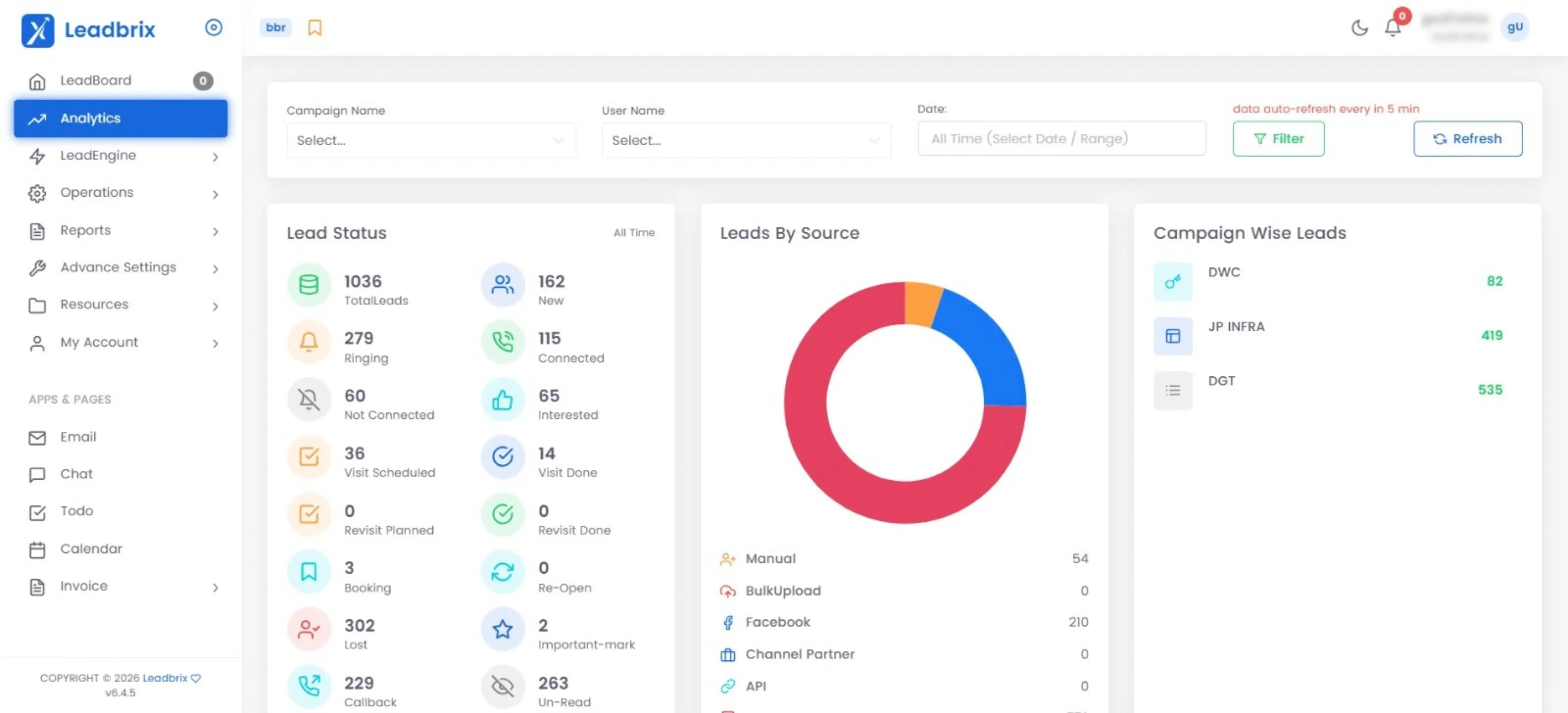
Big CRM tools can feel heavy and confusing for small teams. Many business owners buy them and then find that the team is not using them. This is where Leadbrix CRM is different.
Leadbrix is a simple, easy-to-use telecalling CRM software built to help you manage leads and follow-ups without confusion. It keeps your leads organised, helps your team track calls, and makes sure no follow-up is forgotten. Because it is simple, your team can start using it quickly without long training.
Leadbrix CRM is a good fit if you:
Get leads from ads, websites, calls, or referrals
Have a telecalling or sales team that makes daily calls
Want one place for all lead details and follow-ups
Want a CRM that is simple and does not take weeks to learn
You can visit Leadbrix to see how it can fit your business.
A CRM is strong, but it needs good leads to work with. At Ana Digital Media, we help businesses get quality leads and build a strong online presence. We have worked on multiple projects, including real estate projects, and have seen the same problem again and again: businesses spend money on ads and then lose leads because follow-up is weak.
Our services include:
Meta and Google Ads lead generation to bring serious enquiries
Website development to turn visitors into leads
SEO to help your business rank on search engines
Social media marketing to build trust and brand awareness
Graphic design for ads, posts, and brand material
When good lead generation meets a simple CRM, your marketing works harder. You get leads, you follow them up well, and you convert more of them.
Buying a complex tool. Pick a CRM your team will actually use.
Not training the team. Even a simple CRM needs a short onboarding.
Not updating notes. A CRM is only as good as the data you add.
Ignoring reports. Check your numbers every week.
Starting too late. The earlier you start, the more clean data you build.
A CRM is not just software. It is a habit that helps your business treat every lead with care. It captures leads, reminds you to follow up, shows what works in your marketing, and helps you convert more of the leads you already have.
If you are a real estate business or any business owner in India who is tired of missed calls and lost leads, a simple CRM like Leadbrix is a smart place to start. And if you want more quality leads to put into your CRM, our team at Ana Digital Media is ready to help.
Talk to the Ana Digital Media team about lead generation, website development, SEO, and digital marketing that gets real results. Contact Us today and let us help you market smarter and convert more leads.


Let our experts turn your goals into real results.
ⓒ Copyright 2026 . All Rights Reserved By ANA Digital Media